Be on the map for “electrician near me”
Most local searches start on Google’s map, and a Business Profile is free. If you work at customers’ homes, Google’s guidelines say to hide your address and set a service area instead: up to 20 areas by city, postal code or region, no farther than about two hours’ drive from your base.
List the services you really offer and keep the name exactly as it is on your truck and paperwork. Google doesn’t allow extra keywords in the business name: “Ortiz Electric”, not “Ortiz Electric 24/7 Panel Upgrades”. Add photos of your team and finished work; Google asks for photos that are in focus and well lit, without heavy filters.
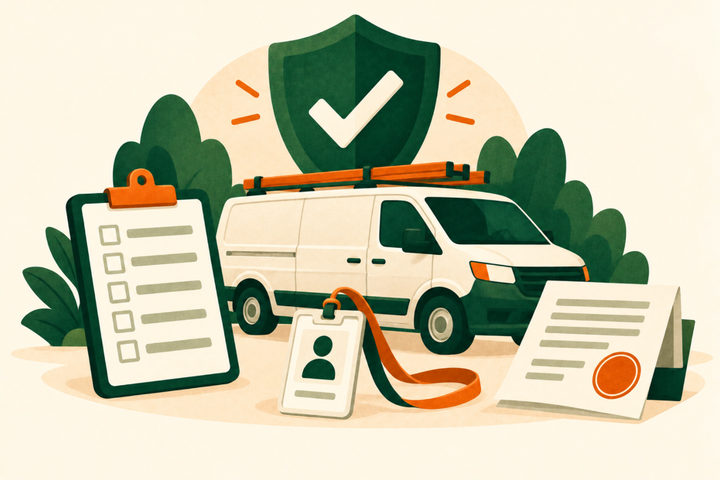
Make your license and insurance easy to check
Homeowners are told to check. The FTC’s advice is to make sure companies have licenses and insurance, and to get three written estimates. If that check takes ten seconds on your website, you already look safer than the electrician who makes them ask.
Some states require the number in your ads. In California, licensed contractors must include their license number in all forms of advertising. Check your own state board’s rules.
- License number in the website footer, on quotes and on the truck
- Proof of insurance ready to send before the first visit
- Who pulls permits and schedules inspections, said plainly
A website that answers the first three questions
Visitors want to know what you do, where you work and how to reach you. Put a tap-to-call button and a short quote form on the first screen. Give each main service a few plain sentences: troubleshooting, panel upgrades, rewiring, lighting, EV chargers, generators. List the towns you cover, and show recent jobs with photos.
Write the way customers talk: “breaker keeps tripping”, “outlet stopped working”, “charger for my new EV”. Those are the words people type into Google, and they tell a visitor in one line that you handle their problem.
Answer fast and quote in writing
If nobody answers, the customer can call the next electrician on the list in seconds. Decide who picks up when you are on a ladder: a team member, a call-back within the hour or an answering service.
Then send a written quote with the scope, materials, permit, timeline and price. The FTC tells homeowners not to start work until they have reviewed and signed a written contract, so make yours clear and easy to sign.
Ask every customer for a review
Google lets you create a review link or QR code from your Business Profile. Send it to every customer the day the job is done. Google’s policy doesn’t allow discounts or other rewards for reviews, or asking only the customers you expect to be happy. Reply to each review, good or bad, in a sentence or two.
Try Local Services Ads, and measure them
Electricians are one of the categories Google’s Local Services Ads serve in the US, and you pay only for leads related to your services. Google screens electricians closely: it is one of the “urgent” categories, with background checks that can cover your technicians as well as the owner, plus license and insurance checks. Screening takes 3–4 weeks on average, and businesses that pass get the Google Verified badge.
Judge the ads by what each booked job costs, not by the number of calls.
Build repeat work with partners
General contractors, remodelers, kitchen and bath companies, property managers and real estate agents all need a reliable electrician, again and again. Introduce yourself with a short note, arrive on time for the first job and send the paperwork fast. One good builder can be worth dozens of one-off calls.
- Remodelers and kitchen or bath companies that subcontract electrical work
- Property managers who need repairs between tenants
- Real estate agents whose buyers’ inspections flag electrical issues
- HVAC and solar installers who need a dedicated circuit or a panel upgrade
A first reply to a quote request you can adapt
For a hypothetical electrician. Offer only what you really do.
Example reply
Thanks for contacting Ortiz Electric
I can come by on Tuesday between 8 and 10 am to look at the panel. You’ll get a written quote within a day with the scope, materials, permit and price. We’re licensed and insured, and I’m happy to send proof before the visit. Questions before then? Call (555) 010-0158.
Reply within the hourExample wording to adapt; this is not a live business enquiry.
Your checklist
Use this while reviewing the website. Your progress is not saved or sent.
Questions to work through
How do electricians get more customers?
Start with what you control: a verified Google Business Profile, a website that shows your license, services and towns, fast replies with written quotes, and a review from every customer. Then add Local Services Ads or partners such as builders and property managers, and judge each source by the cost of each booked job.
Are Google Local Services Ads worth it for electricians?
They can be. Electricians are eligible in the US, and you pay only for leads related to your services. Expect a stricter screening than many categories, with background checks that can cover your technicians; it takes 3–4 weeks on average. Track how many leads turn into booked jobs.
Should electricians buy leads?
Some do, but leads sold to several companies at once push everyone to compete on price. Try any paid source on a small budget first and keep it only if the cost per booked job works.
Do I have to put my license number in ads?
It depends on your state. California, for example, requires licensed contractors to include their license number in all forms of advertising. Even where it isn’t required, showing it helps customers trust you.
How big can my Google service area be?
Google says it shouldn’t extend farther than about two hours of driving from where your business is based. You can list up to 20 service areas by city, postal code or region.
Sources and further reading
Use the original guidance alongside this planning article. The examples here are adaptable starting points, not claims about your business.
- Google: Business Profile, free to create
- Google Business Profile Help: Manage your service areas for service-area and hybrid businesses
- Google Business Profile Help: Guidelines for representing your business on Google
- Google Business Profile Help: Manage your Business Profile photos and videos
- FTC Consumer Advice: Home repair scams
- California Contractors State License Board: Advertising guidelines for contractors
- Google Business Profile Help: Create a Google link or QR code to request reviews
- Google Maps user-generated content policy: Prohibited and restricted content
- Google Local Services Ads Help: Getting started with Local Services Ads
- Google Local Services Help: Business screening and verification requirements (United States)
- Google Local Services Help: About Google Verified badge
- Venant Studio: What a home service business website needs